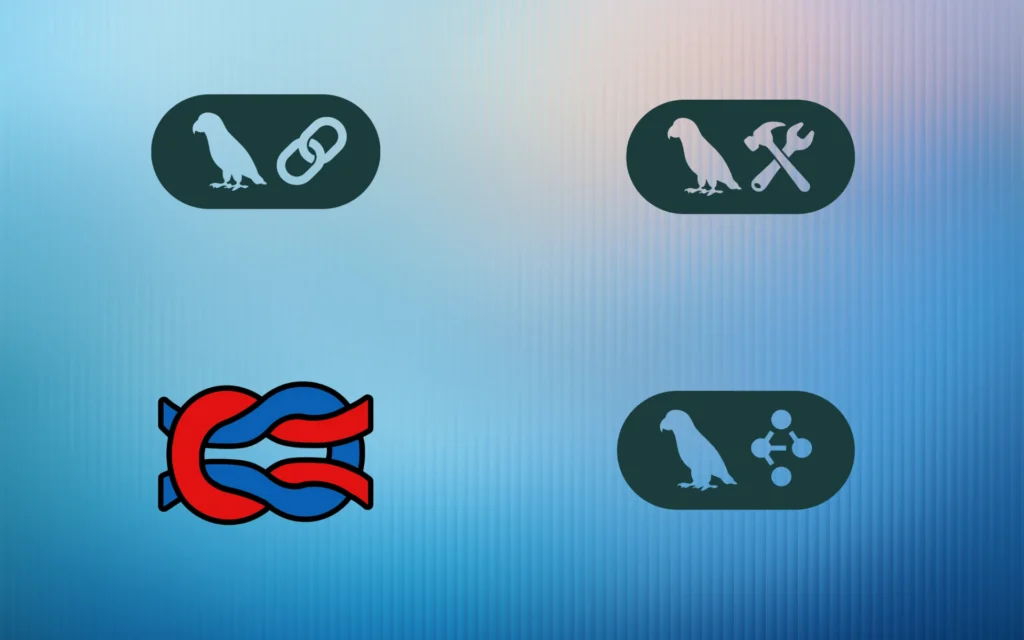
If you’re building AI applications, you’ve probably come across Langchain, Langfuse, Langgraph, and Langsmith. They all start with “Lang,” they’re all related to LLMs, but they serve completely different purposes. So which one do you actually need?
Let me break this down in plain English, with real examples and practical guidance.
The Quick Overview
Here’s the one-sentence explanation for each:
- Langchain: A framework for building LLM applications, like React for AI apps
- Langgraph: An extension of Langchain for complex workflows, like state machines for AI agents
- Langsmith: A platform for debugging and monitoring Langchain apps, like Chrome DevTools for AI
- Langfuse: An open-source alternative to Langsmith for observability, like self-hosted analytics
Think of it this way:
- Langchain + Langgraph = Building tools (you write code)
- Langsmith + Langfuse = Monitoring tools (you watch what happens)
Langchain: The Foundation Framework
What Is Langchain?
Langchain is an open-source framework that makes it easier to build applications powered by large language models. Instead of writing hundreds of lines of code to connect an LLM to your data, APIs, and tools, Langchain provides pre-built components you can snap together.
Real-World Example: Building a Document Q&A Bot
Let’s say you want to build a chatbot that answers questions about your company’s documentation. Here’s how Langchain helps:
# Without Langchain (simplified - this would be 100+ lines)
# You'd manually: load docs, split text, create embeddings,
# store vectors, query, format prompts, call LLM, format output

# With Langchain (actual working code)
from langchain.document_loaders import DirectoryLoader
from langchain.text_splitter import RecursiveCharacterTextSplitter
from langchain.embeddings import OpenAIEmbeddings
from langchain.vectorstores import FAISS
from langchain.chains import RetrievalQA
from langchain.chat_models import ChatOpenAI

# Load documents
loader = DirectoryLoader("./docs")
documents = loader.load()

# Split into chunks
text_splitter = RecursiveCharacterTextSplitter(chunk_size=1000)
chunks = text_splitter.split_documents(documents)

# Create vector store
embeddings = OpenAIEmbeddings()
vectorstore = FAISS.from_documents(chunks, embeddings)

# Create Q&A chain
qa_chain = RetrievalQA.from_chain_type(
    llm=ChatOpenAI(model="gpt-4o"),
    retriever=vectorstore.as_retriever()
)

# Ask questions
answer = qa_chain.run("What is our refund policy?")
print(answer)
That’s it. Six components, one chain, and you have a working RAG (Retrieval-Augmented Generation) system.
Key Langchain Components
| Component | What It Does | Example Use Case |
|---|---|---|
| Document Loaders | Load data from 100+ sources | PDF, CSV, SQL, Notion, Google Docs |
| Text Splitters | Break documents into chunks | Split 100-page PDF into 500 snippets |
| Embeddings | Convert text to vectors | OpenAI, Cohere, HuggingFace models |
| Vector Stores | Store and search embeddings | FAISS, Pinecone, Chroma, Weaviate |
| Chains | Connect multiple steps | Retrieve to Format to Generate to Parse |
| Agents | LLMs that use tools autonomously | Search, calculate, query database |
| Memory | Remember conversation history | Chatbot recalls previous messages |
When to Use Langchain
✅ Use Langchain if you need:
- Simple chatbots with conversation memory
- Document Q&A systems (RAG)
- Data extraction from PDFs or websites
- Integration with multiple LLM providers
- Quick prototypes and proof-of-concepts
❌ Don’t use Langchain if you need:
- Complex multi-step workflows with loops (use Langgraph)
- Production monitoring and debugging (use Langsmith/Langfuse)
- Simple one-off LLM calls (just use OpenAI/Anthropic SDKs directly)
Langgraph: State Machines for Complex AI Workflows
What Is Langgraph?
Langgraph is an extension of Langchain specifically designed for stateful, multi-step applications. While Langchain gives you simple chains (A to B to C), Langgraph lets you build complex graphs with loops, conditions, and parallel execution.
Think of the difference like this:
- Langchain: “Read document to Generate answer” (linear)
- Langgraph: “Plan to Research to Draft to Review to If bad, rewrite to If good, finalize” (cyclical)
Real-World Example: AI Research Assistant
Imagine building an AI agent that researches a topic, writes a report, and asks for human feedback before finalizing. Here’s how Langgraph enables this:
from langgraph.graph import StateGraph, END
from typing import TypedDict

# Define state (shared across all steps)
class ResearchState(TypedDict):
    topic: str
    search_results: list
    draft: str
    feedback: str
    final_report: str
    revisions: int

# Define nodes (steps in workflow)
def plan_research(state):
    return {"search_queries": ["AI agents", "Langgraph use cases"]}

def search_web(state):
    results = tavily_search(state["search_queries"])
    return {"search_results": results}

def write_draft(state):
    draft = llm.generate(f"Write report about {state['topic']}")
    return {"draft": draft, "revisions": 0}

def review_draft(state):
    feedback = input("Feedback on draft: ")
    return {"feedback": feedback}

def should_revise(state):
    if state["revisions"] >= 3 or "looks good" in state["feedback"].lower():
        return "finalize"
    return "revise"

def revise_draft(state):
    new_draft = llm.generate(f"Revise: {state['draft']}. Feedback: {state['feedback']}")
    return {"draft": new_draft, "revisions": state["revisions"] + 1}

def finalize(state):
    return {"final_report": state["draft"]}

# Build the graph
workflow = StateGraph(ResearchState)

# Add nodes
workflow.add_node("plan", plan_research)
workflow.add_node("search", search_web)
workflow.add_node("write", write_draft)
workflow.add_node("review", review_draft)
workflow.add_node("revise", revise_draft)
workflow.add_node("finalize", finalize)

# Add edges (connections)
workflow.add_edge("plan", "search")
workflow.add_edge("search", "write")
workflow.add_edge("write", "review")
workflow.add_conditional_edges("review", should_revise, {
    "revise": "revise",
    "finalize": "finalize"
})
workflow.add_edge("revise", "review")  # Loop back
workflow.add_edge("finalize", END)

# Set entry point
workflow.set_entry_point("plan")

# Compile and run
app = workflow.compile()
result = app.invoke({"topic": "Langgraph for enterprise AI"})
Notice the cycle: review to revise to review to revise to finalize. This is impossible with basic Langchain chains but natural with Langgraph.
Companies Using Langgraph in Production
- Klarna: Customer support bot serving 85M users, reduced resolution time by 80%
- LinkedIn: SQL Bot for data access across organization
- Uber: Large-scale code migration automation
- Elastic: Real-time threat detection in security operations
- AppFolio: Realm-X AI copilot, improved response accuracy by 2x
When to Use Langgraph vs Langchain
| Scenario | Use Langchain | Use Langgraph |
|---|---|---|
| Simple chatbot | ✅ | ❌ (overkill) |
| Document Q&A | ✅ | ❌ (overkill) |
| Multi-step agent with tools | ✅ | ✅ (better for complex logic) |
| Workflows with loops/retries | ❌ | ✅ |
| Human-in-the-loop approval | ❌ | ✅ |
| Multi-agent collaboration | ❌ | ✅ |
| Long-running tasks (hours/days) | ❌ | ✅ (has persistence) |
| Quick prototype (1 day) | ✅ | ❌ (steeper learning curve) |
Langsmith: Official Observability Platform
What Is Langsmith?
Langsmith (by the Langchain team) is a hosted platform for debugging, testing, evaluating, and monitoring LLM applications. Think of it as Chrome DevTools, but for AI.
What Problems Does Langsmith Solve?
Imagine you built a Langchain RAG chatbot. In production, users complain: “It gave me the wrong answer!” Now what?
- Which documents did it retrieve? (maybe it found irrelevant chunks)
- What prompt was sent to the LLM? (maybe your template is broken)
- How much did this request cost? (GPT-4 can get expensive fast)
- How long did it take? (users hate slow responses)
- Did it fail silently somewhere? (API errors, rate limits)
Without observability tools, you’re flying blind. Langsmith gives you X-ray vision into every LLM call.
Key Langsmith Features
| Feature | What It Does | Example Use Case |
|---|---|---|
| Tracing | Record every step in your LLM pipeline | See exact documents retrieved for each query |
| Prompt Management | Version and test prompts | A/B test different prompt templates |
| Datasets & Evals | Test LLM performance on examples | Run 100 test questions, measure accuracy |
| Monitoring | Track costs, latency, errors in production | Alert when daily cost exceeds $100 |
| Human Feedback | Collect thumbs up/down from users | Find which responses users hate |
| Debugging | Replay failed requests | Reproduce exact error conditions |
Langfuse: Open-Source Observability Alternative
What Is Langfuse?
Langfuse is an open-source LLM engineering platform that provides observability, tracing, prompt management, and evaluation, similar to Langsmith, but self-hosted or cloud-hosted with full data control.
Key differentiators:
- Open-source: You can inspect, modify, and self-host the entire platform
- Data sovereignty: All traces stay on your infrastructure (critical for healthcare, finance, government)
- Framework-agnostic: Works with Langchain, LlamaIndex, custom code, any LLM provider
- OpenTelemetry-based: Standard observability protocol, not vendor lock-in
Langsmith vs Langfuse: The Real Differences
| Feature | Langsmith | Langfuse |
|---|---|---|
| Hosting | Managed (cloud-only) | Self-hosted or managed cloud |
| Data Control | Stored on Langsmith servers | Stored on your servers (or cloud) |
| Integration | Best with Langchain/Langgraph | Works with any framework |
| Setup Time | 5 minutes (add API key) | Self-host: ~2 hours; Cloud: 10 minutes |
| Enterprise Support | Yes (SLA, SSO, dedicated) | Yes (SOC2 compliant, self-hosted option) |
When to Choose Langsmith vs Langfuse
Choose Langsmith if:
- You’re heavily invested in the Langchain ecosystem
- You want zero setup (just add API key and go)
- You’re okay with hosted/managed solutions
Choose Langfuse if:
- You need data on your own infrastructure (compliance, privacy)
- You’re using multiple frameworks (LlamaIndex, custom code, etc.)
- You want open-source transparency and customization
- You prefer lower long-term costs (self-hosted = free)
Practical Decision Guide
Scenario 1: Simple RAG Chatbot for Company Docs
Tools needed:
- Langchain – Build the RAG pipeline
- Langfuse (free tier) – Monitor costs and debug issues
Why not Langgraph? RAG is linear: retrieve to generate to respond. No loops needed.
Scenario 2: Multi-Step AI Agent with Tool Calling
Example: “Analyze our competitors’ pricing from their websites, compare to ours, suggest changes.”
Tools needed:
- Langgraph – Handle complex workflow: scrape to analyze to compare to suggest to review
- Langsmith – Debug when the agent scrapes wrong data or makes bad suggestions
Why Langgraph? Needs loops (retry scraping if fails) and conditions (if prices match, skip suggestions).
Scenario 3: Enterprise AI Platform (Healthcare/Finance)
Requirements: Multi-agent workflows, strict data privacy, production monitoring.
Tools needed:
- Langchain + Langgraph – Build complex, stateful agents
- Langfuse (self-hosted) – Full data control, compliance-ready, SOC2 certified
Why Langfuse? Healthcare/finance can’t send patient/financial data to third-party servers.
Scenario 4: Rapid Prototyping / Research Project
Tools needed:
- Langchain – Fast iteration, lots of examples
- Langsmith (free tier) – Quick debugging without setup
Why not Langgraph? Learning curve is higher; Langchain is faster for simple prototypes.
Best Practices
1. Start Small, Then Scale
- Week 1: Prototype with Langchain, no observability
- Week 2: Add Langsmith/Langfuse when you have 10+ test queries
- Week 3: Migrate to Langgraph if you realize you need complex workflows
2. Always Use Observability in Production
Don’t launch without tracing. You will get bug reports, and you’ll need traces to debug them. Even the free tiers of Langsmith or Langfuse are sufficient for small apps.
3. Version Your Prompts
Both Langsmith and Langfuse support prompt versioning. When you change a prompt, version it (v1, v2, v3). This way, if accuracy drops, you can roll back.
4. Set Up Evaluation Datasets Early
Create 20-50 example queries with expected answers. Run them through your system weekly. Track accuracy over time.
5. Monitor Costs Aggressively
LLM costs can spiral fast. Set alerts:
- “Alert me if daily cost exceeds $50”
- “Alert me if average latency exceeds 5 seconds”
- “Alert me if error rate exceeds 5%”
6. Use Human Feedback Loops
Add thumbs up/down buttons to your AI interface. Log feedback to Langsmith/Langfuse. Analyze which responses users dislike, then improve prompts or retrieval.
Common Mistakes to Avoid
❌ Mistake 1: Using Langgraph for Simple Tasks
Wrong: Building a basic chatbot with Langgraph
Right: Use Langchain. Save Langgraph for when you actually need complex state management.
❌ Mistake 2: Not Using Observability Until Production
Wrong: Build for 3 months, launch, then realize you can’t debug issues
Right: Add Langsmith/Langfuse on day 1 of development.
❌ Mistake 3: Ignoring Data Privacy
Wrong: Sending patient health data to a third-party observability cloud
Right: Use self-hosted Langfuse or ensure your observability provider is HIPAA/SOC2 compliant.
❌ Mistake 4: Over-Engineering Early
Wrong: Setting up Kubernetes, distributed tracing, and multi-agent Langgraph for a prototype
Right: Start with Langchain + Langsmith free tier. Scale when you need to.
Quick Reference: Tool Comparison
| Criteria | Langchain | Langgraph | Langsmith | Langfuse |
|---|---|---|---|---|
| Purpose | Build LLM apps | Complex workflows | Monitor & debug | Monitor & debug |
| Type | Framework | Framework extension | Managed platform | Open-source platform |
| Pricing | Free | Free | Free tier + paid | Free (self-host) or paid (cloud) |
| Learning Curve | Medium | High | Low | Medium |
| Setup Time | 1-2 hours | 4-8 hours | 5 minutes | Self-host: ~2 hours; Cloud: 10 min |
| Best For | RAG, chatbots, prototypes | Multi-agent, loops, enterprise | Langchain users, quick setup | Data sovereignty, multi-framework |
| Data Control | Full (local) | Full (local) | Hosted externally | Full (self-host) or cloud |
Final Recommendations
For Beginners (First LLM Project)
- Build with: Langchain
- Monitor with: Langsmith free tier
- Skip for now: Langgraph
For Intermediate Developers (Building Production Apps)
- Build with: Langchain + Langgraph (when you hit complexity limits)
- Monitor with: Langsmith (if budget allows) or Langfuse (if cost-conscious)
For Enterprises (Multi-Agent Systems, Compliance)
- Build with: Langgraph (for reliable, stateful workflows)
- Monitor with: Langfuse self-hosted (for data control) or Langsmith Enterprise
For Open-Source Enthusiasts
- Build with: Langchain + Langgraph
- Monitor with: Langfuse (inspect code, contribute, customize)
Conclusion
You probably don’t need all four tools. Most projects succeed with Langchain + one observability tool. Upgrade to Langgraph only when you’re drowning in conditional logic and state management. Choose between Langsmith and Langfuse based on your priorities: ease of use vs. data control.
These tools are production-grade, with real companies (Klarna, Uber, LinkedIn) betting their businesses on them.
Start simple. Build something that works. Add complexity only when you need it. And always monitor your production LLM applications, traces are the difference between fixing issues in minutes vs. days.
Now go build something amazing.
Frequently Asked Questions
If I’m just starting, which one do I need?
Start with LangChain or skip it entirely and use plain SDK calls. LangFuse, LangGraph, and LangSmith all assume you already have an app. Pick a tool when a real pain shows up, not before.
Is LangChain still relevant in 2026?
Yes for fast prototyping and complex tool-using agents. For simple production apps, plain provider SDKs are usually cleaner. Most production teams use LangChain for parts of the system, not the whole thing.
Can I replace LangSmith with LangFuse?
Yes. LangFuse is the open-source, self-hostable equivalent. Feature parity is close enough for most teams. LangSmith is faster to set up; LangFuse wins on data control and price at scale.
Do I need LangGraph if I have LangChain?
If your agent has more than 2-3 steps with branching or retries, yes. LangGraph models the agent as a state graph, which is much easier to reason about than chained LangChain calls.
Are these tools competing with DSPy?
Partly. DSPy is more opinionated about prompt optimization and evaluation. LangChain is more flexible but ad-hoc. Many teams use DSPy inside a LangChain agent, picking the strengths of each.