# Pomelu: An Open-Source Phone App for Hermes Agent
By Amir Teymoori - November 23, 2026
---
Pomelu is a free, open-source app for [Hermes Agent](https://hermes-agent.nousresearch.com/), the self-hosted AI agent by Nous Research. It puts every bot on your Hermes gateway in a messenger on your phone. Each bot is one chat, like a contact. It runs on iPhone, iPad and Android, and it is on the [App Store](https://apps.apple.com/us/app/pomelu-ai-agent/id6826160384) and [Google Play](https://play.google.com/store/apps/details?id=se.royan.pomelu).
I run Hermes Agent on a small server at home, with one bot for each job. I wanted to reach those bots the way I reach people: from my phone, with a notification when one of them needs an answer from me. That is the app I built. My company, Royan AB, publishes it. It is an unofficial client and has no link to Nous Research.
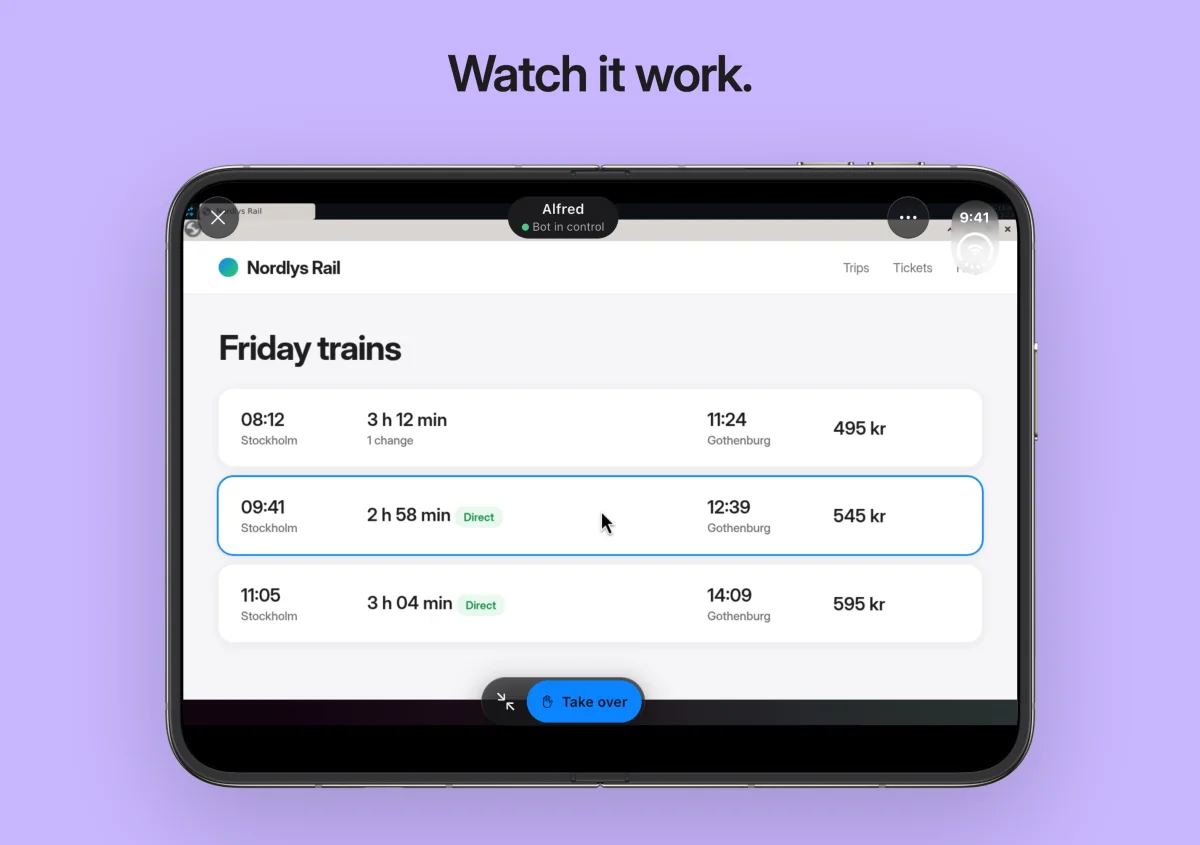
The 37-second film: a bot books a train on its own Linux desktop, I take over to type the code, then hand it back. Real app, real Hermes Agent, demo bots. iPhone Duo 3D model by Pikkme Studio (CC BY 4.0). Music: Dirty Thinkin’ (Mixkit).## What the app does
Pomelu has no agent of its own. Your Hermes gateway does the work, and the app shows it. Answers stream in live as Markdown, with code blocks and tables. While a task runs you see the tool calls and the agent’s plan, and you can stop the turn at any time.
- **Questions and approvals.** When the agent asks a question, needs approval for a command or asks for a secret, a card shows in the chat and as a notification. One tap answers it.
- **Voice, photos, video and files** go both ways. You can also send a place from a map, and a bot can read its reply aloud.
- **Share from any app.** Your bots sit in the share sheet, so a link, a photo or a PDF goes straight to the right bot.
- **Bot details.** See a bot’s skills and tools, edit its `SOUL.md`, and pause, resume, run or delete its scheduled jobs. You can create, rename and delete bots too.
- **Notifications.** Replies and questions arrive as notifications. On Android the app can stay connected in the background.
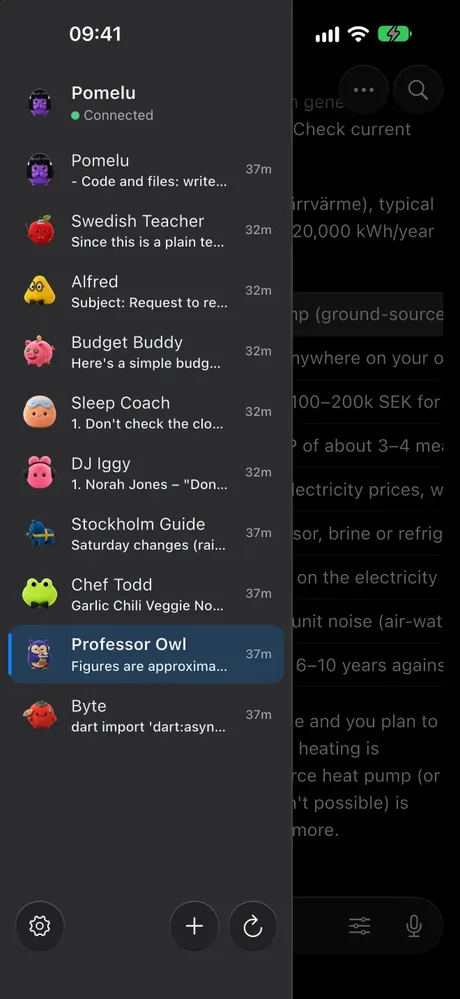One chat per bot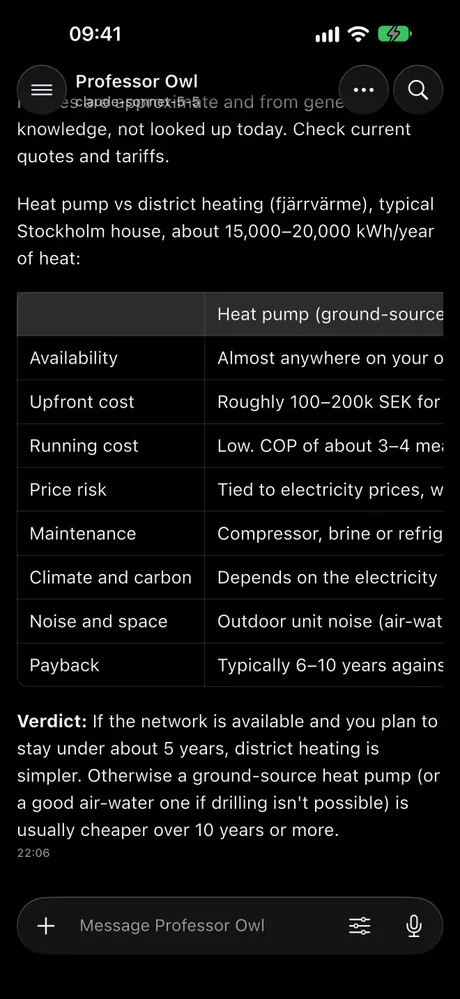Tables and Markdown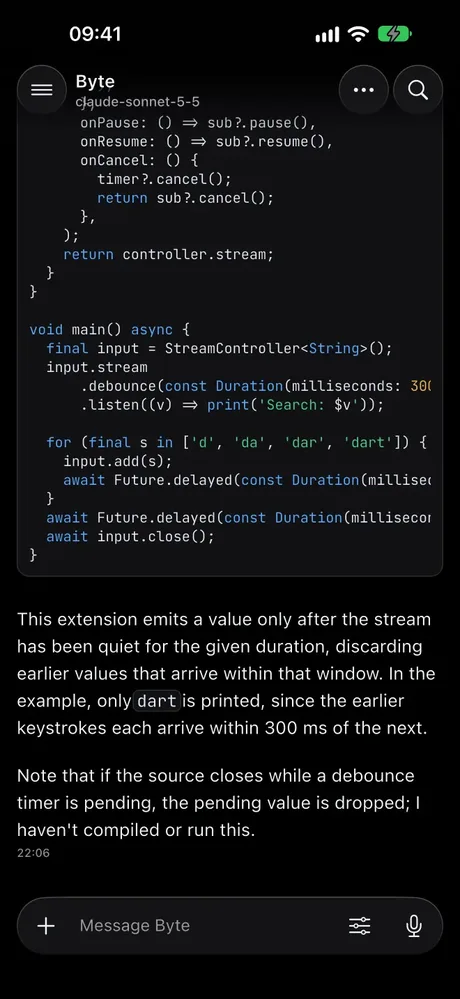Code in dark mode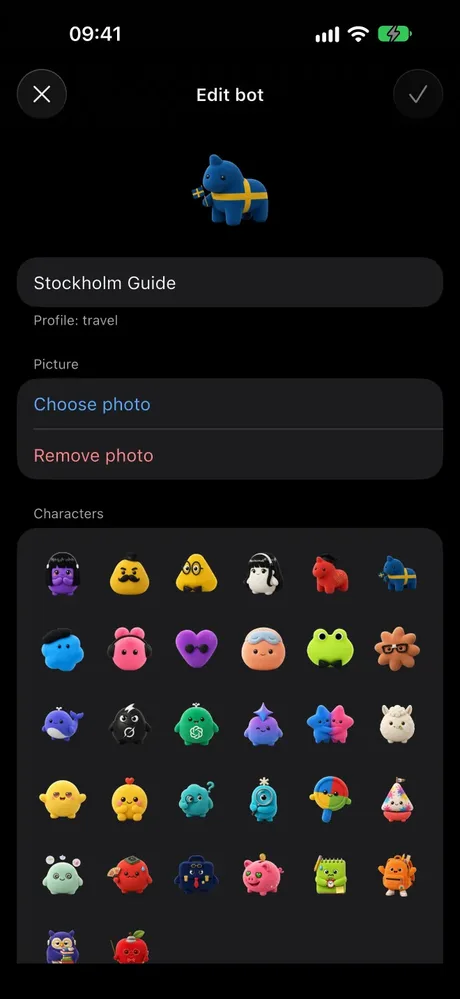Pick a character
## Bot Screen: watch a bot work, then take over
Some tasks need a browser and a person at the end: a login code, a CAPTCHA, a payment. Hermes can give a bot its own Linux desktop, and Pomelu shows it live. When the bot gets stuck, tap Take over, type the code with the phone keyboard, and hand control back. Touch, paste and drag and drop all work. This needs a Linux gateway with [Bot Screen](https://hermes-agent.nousresearch.com/docs/user-guide/features/bot-screen) set up.
## Made for foldables and the iPad
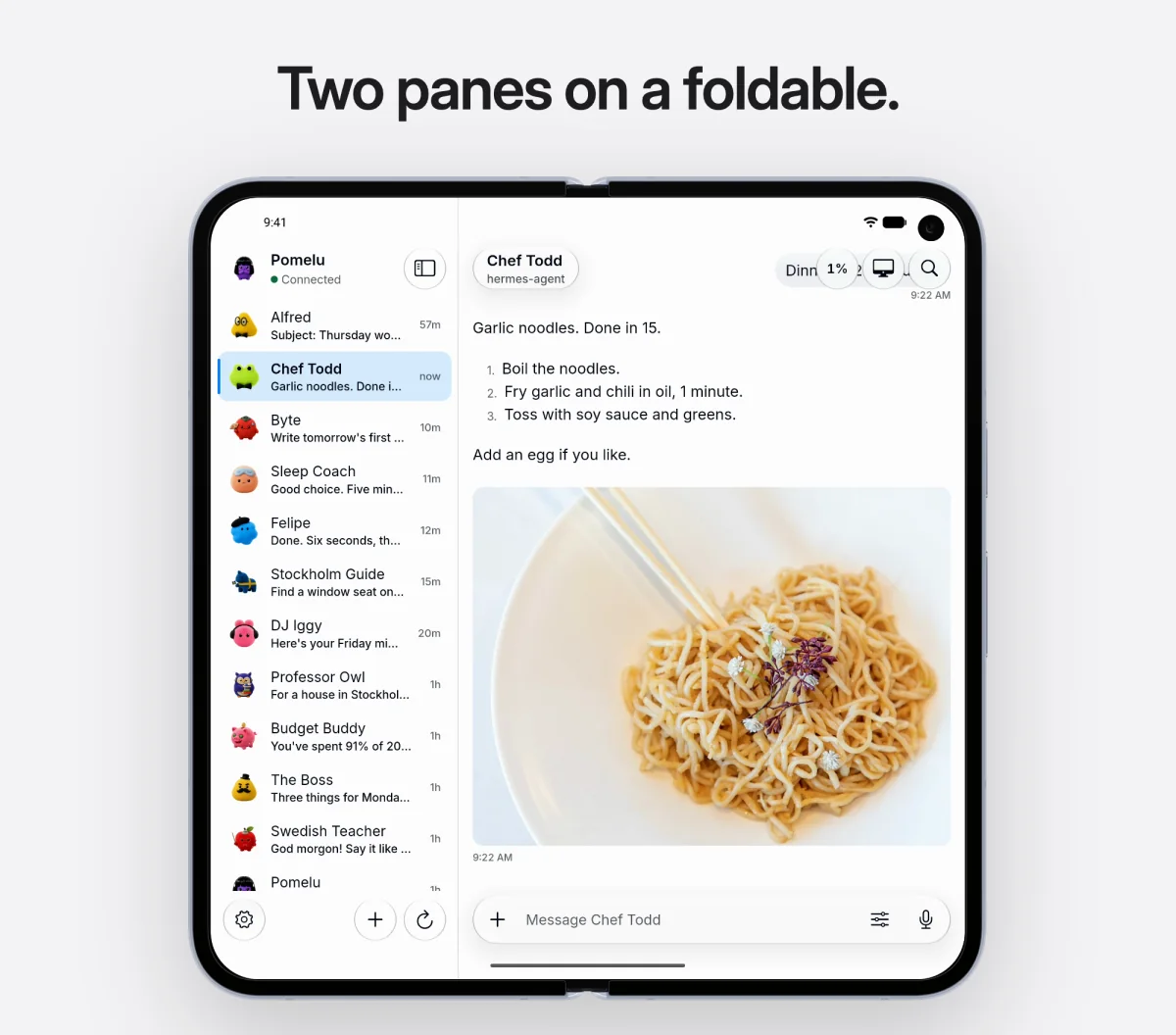
On a Galaxy Z Fold, a Pixel Fold, an iPhone Duo, an iPad or an Android tablet, the bot list and the chat sit side by side. The chat keeps a reading width, and hardware keyboard shortcuts and right-click work. The iOS app uses the Liquid Glass design, with a light and a dark theme, Dynamic Type and VoiceOver. The Android app supports TalkBack.
Here is a longer screen recording on an Android phone:
Pomelu on Android, recorded on a real phone with a demo gateway (2 min 22 s, no sound).## Private by design
Your chats go only to your own gateway. Pomelu has no account, no analytics, no ads and no crash reporting, and Royan AB collects no data. The app keeps your sign-in in the iOS Keychain or the Android Keystore.
Push notifications are optional. With the [Pomelu plugin for Hermes](https://github.com/ateymoori/pomelu-hermes-plugin), a bot can start a conversation, for example a reminder or a scheduled job, and the phone rings even when the app is closed. Hermes seals each message with a key that only your phone has. The relay that passes it to Apple or Google cannot read it and stores nothing.
## How it works under the hood
Pomelu is a pure client. It speaks JSON-RPC over a WebSocket to the Hermes gateway at `/api/ws`, and it uses the dashboard’s REST routes for bots, skills and cron jobs. It works with every model your Hermes uses, from Claude and GPT to a local model, because it only shows what the agent sends.
The app is one Flutter 3.47 code base for both platforms, with Riverpod for state, go\_router, freezed, dio, gpt\_markdown, flutter\_map, and noVNC for Bot Screen. Unit, widget and Maestro end-to-end tests run in CI. The [repository](https://github.com/ateymoori/pomelu) has docs on the architecture, the parts of the gateway protocol the app uses, the design system and the tests.
## Get Pomelu
- **iPhone and iPad:** [App Store](https://apps.apple.com/us/app/pomelu-ai-agent/id6826160384) (iOS 15 or newer)
- **Android:** [Google Play](https://play.google.com/store/apps/details?id=se.royan.pomelu), or the signed APK on [GitHub](https://github.com/ateymoori/pomelu/releases/latest) (Android 10 or newer)
- **Source:** [github.com/ateymoori/pomelu](https://github.com/ateymoori/pomelu), Apache 2.0
- **Needs:** a running [Hermes Agent](https://hermes-agent.nousresearch.com/docs/getting-started/installation) 0.21.5 or newer
In the app, enter your gateway’s URL and sign in. Away from home, reach the gateway through a private network such as Tailscale, or put it behind HTTPS. If you are still choosing an agent, I compared the two big open-source options in [Hermes Agent vs OpenClaw](https://amirteymoori.com/hermes-agent-vs-openclaw-ai-assistant-comparison/).
Bug reports and pull requests are welcome on [GitHub](https://github.com/ateymoori/pomelu/issues). More about the app, its privacy policy and support: [royan.se/pomelu](https://royan.se/pomelu/).